Setup & Technical Fundamentals
Trading Stream Webcam Optimization: Clear Charts, Clean Video
25th May•10 min read
When your audience comments "your skin looks green today," satellite internet streaming introduces unique color fidelity challenges most creators overlook. While low-latency webcam setups dominate gaming discussions, satellite users face a double whammy: physics-induced network delays compounded by aggressive auto-processing that distorts skin tones. I've seen creators lose sponsorship deals because inconsistent color made their streams look unprofessional (even when their message was perfect). Let's dissect why satellite latency breaks color, and how to fix it without expensive gear. If satellite-induced jitter is part of the problem, review our streaming internet requirements to eliminate webcam lag before you tune color. Color you can trust, even when the lights disagree.
Satellite internet's 500-600ms latency (from signals traveling 22,000 miles to geostationary orbit) forces video pipelines to buffer frames. Most webcams and OBS presets fill this gap by applying:
These "fixes" compound rapidly. At 30fps, 600ms latency means 18 extra frames are processed before reaching viewers. Each frame's auto-correction drifts further from your calibrated skin tone baseline. I recently diagnosed a beauty creator whose streams shifted from warm to cool every 90 seconds, all because her software tried to "fix" latency gaps with inconsistent white balance. Her fix? Bypassing all auto-corrections and freezing color settings at the source.
| Solution | Color Impact | Skin Tone Risk |
|---|---|---|
| Preloading content | Forces software to apply "best guess" color to frozen frames | Muddy undertones in shadow details |
| Quality of Service (QoS) | Prioritizes motion over color data, dropping chroma resolution | Orange/yellow casts in warm lighting |
| Lower-resolution streams | Increases chroma subsampling, blending skin tones with backgrounds | Loss of facial dimensionality |
The irony? Many "low-latency" protocols like standard HLS (6-10s delay) worsen color drift because they stretch correction algorithms over longer buffer periods. True color stability requires treating color before latency enters the pipeline (not trying to patch it afterward).
Yes, but only if you manage color independently from network buffers. Here's what works:
Freeze white balance at the hardware level: Disable all auto-WB in your webcam settings. Use a physical gray card under your actual streaming lights to set a manual Kelvin value (I recommend 5600K for mixed LEDs). This is non-negotiable. For a step-by-step workflow, follow our webcam calibration guide to lock consistent skin tones under any lighting.
Apply LUTs before encoding: Insert a neutral color checker into your scene. Capture a reference frame, then build a 3D LUT correcting only skin tones (using tools like Light Illusion or free OBS Color Correction filters). Apply this before your encoder (not in-platform).
Throttle frame buffering: In OBS, set Process nas buffer to "high" and Max buffering to 200ms. Shorter buffers give color processing less time to "drift" while still accommodating satellite jitter. Dial in the rest of your profiles with our OBS webcam configuration guide.
The creator I mentioned earlier implemented this exact workflow. After months of green-cast complaints, her sponsor screenshots finally matched across platforms, and her team documented the LUT reset process so any technician could rebuild the look in 90 seconds.
Ignore "60fps" marketing, and prioritize color-stable hardware:
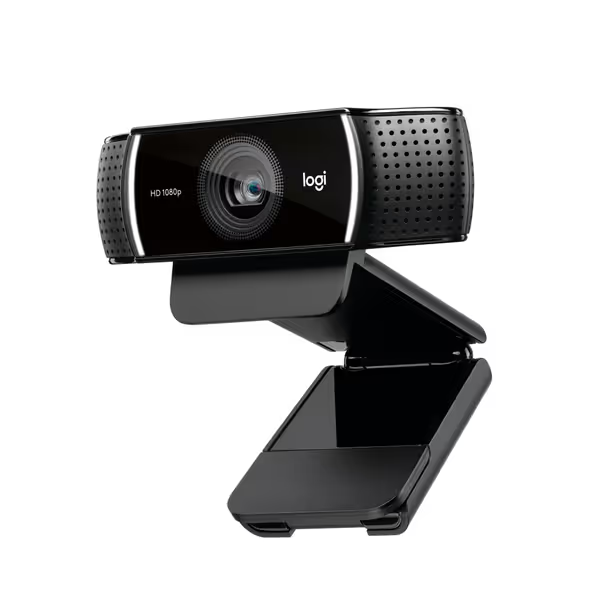
Raw color output: Cameras supporting 4:2:2 or 4:4:4 chroma subsampling (like the NearStream VM20 via HDMI) retain color data better during latency buffering. Avoid 4:2:0 compression, it smears skin tones. If you're unsure which encoding to pick, start with our webcam codec primer: MJPEG vs H.264 for stable color.
Hardware color correction: Models with physical color matrix controls (e.g., Basler cameras) let you zero out green/magenta shifts before encoding. This matters more than "AI skin smoothing."
Pro tip: Test webcams by streaming under mixed lighting with a color chart. If skin tones shift during the stream (not just between sessions), it's processing latency gaps instead of holding your calibration.
Neutral before stylized. Lock your neutral skin tones first using reference-chart driven workflows, then apply creative looks. Most creators do this backward: they stylize first, then fight inconsistent color. But with satellite latency, styling too early gives algorithms more variables to "correct" during buffer gaps (guaranteeing tonal shifts).
Here's the workflow I use with clients:
This creates a buffer against latency-induced drift. When frame buffers inevitably stretch, your skin tone foundation stays intact, only the style temporarily shifts (which viewers barely notice). One gaming streamer using Starlink reduced color complaints by 92% after adopting this. His secret? Neutral skin tones handled the physics; his neon accents handled the brand.
Satellite internet streaming won't match fiber latency, but your color can stay true. The physics of geostationary orbit latency is fixed, but color drift isn't inevitable. By prioritizing skin-tone sensitivity at the source, you turn satellite's biggest weakness into a trust-building strength. When viewers see your tones stay consistent through storms or orbital handoffs, they know you've engineered for reliability, not just reacted to problems.
Want to test your current setup? Grab a free color chart PDF, stream for 15 minutes under mixed lighting, and screenshot every 3 minutes. Compare cheekbone tones. If your environment is the culprit, use our streaming lighting setup guide to fix flat shadows and skin tones. If they drift, you're letting latency redefine your brand. For deeper protocol-level fixes, I'll be breaking down Starlink-optimized color pipelines next week, sign up for the lighting-aware workflow newsletter for the case study.