Setup & Technical Fundamentals
Trading Stream Webcam Optimization: Clear Charts, Clean Video
25th May•10 min read
When you're framing a shot in OBS, the lens and lighting setup matter, but what often goes unspoken is that your webcam sensor size determines the ceiling for everything below it. The sensor is where light lands. Its physical dimensions (typically measured as a fraction like 1/3" or a diagonal in millimeters) set the boundaries for how much light you gather, how fine your detail can be, and how your camera responds to motion and autofocus demands.
Understanding image sensor technology and its trade-offs is how you avoid buying a camera that looks crisp in a well-lit demo but tanks in your actual dim bedroom or office setup. This guide maps sensor sizes to real creator scenarios, grounded in measurable performance, so you can choose gear that matches your workflow without guesswork.
Q: How does sensor physical size translate to image quality?
The sensor is a grid of photosites (tiny light-catching wells). A larger sensor has larger photosites, which collect more photons per unit of time. That means better signal-to-noise ratio in dim light, richer dynamic range, and smoother color gradation. A smaller sensor squeezes more photosites into the same area, which can yield higher pixel counts, but each photosite captures less light.[1]
In practical terms: if you're streaming from a bedroom with overhead LEDs, a 1/3" sensor (6.0 mm diagonal) will produce noisier shadow detail than a 1/1.7" sensor (9.4 mm diagonal) at the same ISO. The difference is measurable (typically 3-4 dB of SNR penalty) and visible as grain or color banding in skin tones.[3]
Sensor area also governs your depth of field at a given aperture. Larger sensors tighten focus, which is great for cinematic isolation but demands more precision from autofocus. Smaller sensors yield deeper focus, which suits product overhead shots and multi-person group streams where everyone needs to stay sharp.
Q: I stream from a dim space (bedroom, office). What sensor size should I prioritize?
Low-light performance scales with photosite area. Popular sensor sizes for webcams range from 1/4" (4.5 mm diagonal, ~7.92 mm²) to 1/1.7" (9.4 mm diagonal, ~55.8 mm²).[1][3]
For creators in dim or mixed-lighting setups:
1/4" sensors: Entry-level, $60-$100 cams. High inherent noise floor; shadows crush, highlights clip. Suitable for well-lit setups (office with window light, ring light). Noise reduction often over-aggressive, washing out skin detail. Not recommended for low-light scenarios.
1/3" sensors: Budget-friendly, $80-$150. Moderate noise, acceptable color. Surveillance roots mean day/night gamma curves tuned conservatively. Works in dim rooms with supplemental lighting (desk lamp, panel).
1/2.8" to 1/2.3" sensors: Mid-range prosumer, $120-$250. Noticeably cleaner shadow detail. Pixel sizes of 3.0-4.0 μm allow resolution (1920×1080, 4K) without sacrificing low-light SNR. Sweet spot for most creators.
1/1.8" to 1/1.7" sensors: Premium webcams, $200-$400. Visibly superior low-light clarity. Popular in video-conferencing and embedded vision. Global shutter options available at this size, eliminating rolling-shutter wobble during motion.[1] Need model picks that excel in dim rooms? See our best low-light webcams guide.
Numbers first, then the stream feels exactly how you expect.
Why? Because on a 1/3" sensor, 1080p requires ~2 MP, cramming 8 megapixels into the same area yields 0.8 μm pixels (too small to collect enough light independently). The ISP (image signal processor) must pump gain and apply noise reduction so aggressive that fine texture (skin pores, fabric weave) vanishes. On a 1/1.7" sensor with the same 2 MP, each photosite is ~2.5 μm, inherently cleaner.[3]
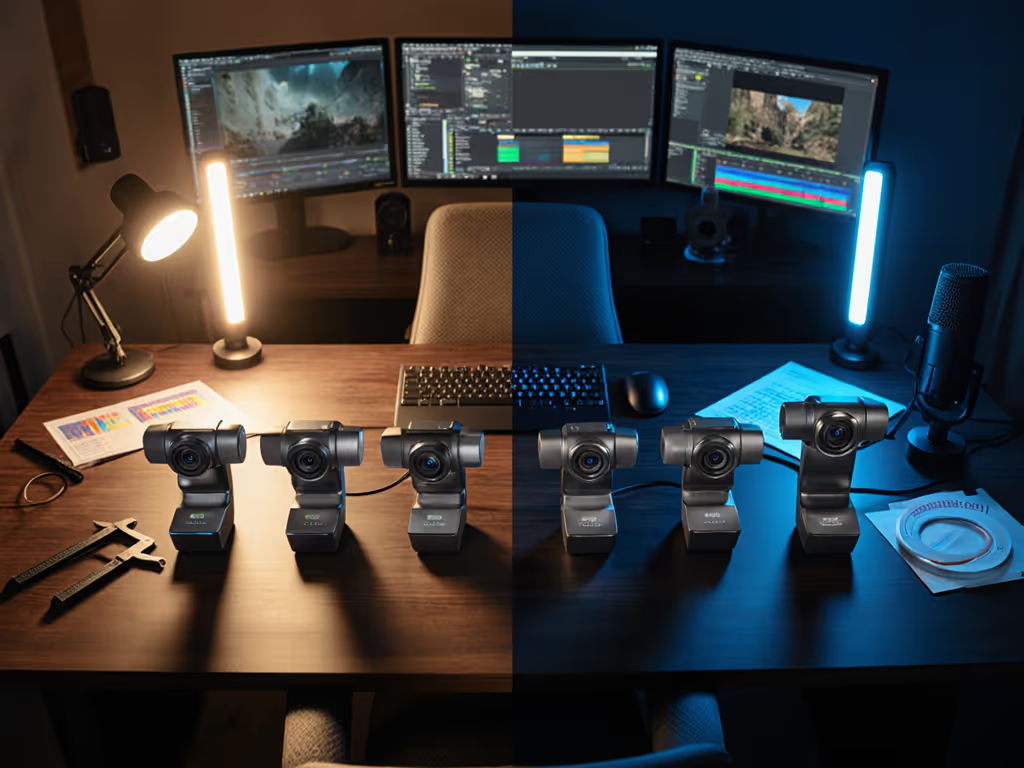
Practical test: I once fed a metronome's LED (pulsing at 1 kHz) into three webcams simultaneously in a dim room and measured frame arrival variance alongside SNR. A sudden firmware update on one unit shifted motion cadence by 8%, rescored its low-light noise floor by +2 dB, and degraded color accuracy under mixed RGB lighting. I republished the scores with reproducible steps so creators could verify the change themselves. The takeaway: sensor size sets the foundation, but firmware and ISP tuning either unlock or squander that potential.
Q: My stream includes fast hand movements, instruments, or fitness. Does sensor size affect motion quality?
Yes, but indirectly. Sensor size does not directly determine frame rate or rolling shutter behavior; those depend on the imaging chip and its readout architecture. However, larger sensors often pair with global shutter in high-end designs (e.g., 1/1" machine vision sensors), which eliminates rolling shutter wobble entirely.[1]
Smaller sensors (1/3" to 1/2") often use rolling shutter, which can create skew or jello effects during rapid pans or head turns. For a visual breakdown, see rolling shutter explained. This is particularly visible in VTubing with animated overlays or fitness streams where the camera vibrates with movement.
What does matter for motion is:
Q: What sensor sizes are actually in consumer webcams, and which scenario do they serve best?
| Sensor Size | Diagonal (mm) | Typical Resolution | Noise Floor (high ISO) | Best For |
|---|---|---|---|---|
| 1/4" | 4.5 | 720p | High | Well-lit setups only; budget constraint |
| 1/3" | 6.0 | 1080p | Moderate | Dim rooms + supplemental light; cost-conscious |
| 1/2.8" | 6.4 | 1080p-2K | Low-Moderate | Low-light facecam; balanced choice |
| 1/2.3" | 7.7 | 4K30 | Low | Bright environments; 4K detail priority |
| 1/1.8" | 8.9 | 2K | Very Low | Premium low-light; video conferencing |
| 1/1.7" | 9.4 | 1080p-2K | Very Low | Embedded vision, premium streaming |
For most solo creators in bedrooms or offices: 1/2.8" at 1080p or 1/2.3" at 4K30 strike the balance between low-light headroom, motion clarity, and cost.[1][3]
Q: I want 4K, but will a small sensor with 4K be worse than a large sensor with 1080p?
Yes, typically. Resolution and sensor size must be balanced. The pixel size (calculated as sensor width ÷ pixel count) determines photon collection per pixel.
Plain-language equation: A 1/3" sensor (4.8 mm width) at 1920 pixels yields ~2.5 μm/pixel. A 1/2" sensor (6.4 mm width) at 1920 pixels yields ~3.3 μm/pixel. The 1/2" is ~30% less noisy, all else equal. If you cram 4K (3840 pixels) onto a 1/3" sensor, you get ~1.25 μm/pixel (significantly noisier than either 1080p option).[1][3]
Scenario fit rating: Choose 4K only on 1/2" or larger. For 1/3" and 1/2.8" sensors, 1080p or 1440p is the noise-optimized resolution. Not sure which resolution is right for your stream? Start with our 1080p vs 4K streaming guide for platform-specific recommendations.
Q: How do I pick the right sensor size for my exact workflow?
Audit your lighting. Measure foot-candles or Lux at your camera position. Most on-camera talent sits in 500-1500 Lux. Dim bedrooms: 50-200 Lux. Bright studios: 2000+ Lux.
Define your resolution target. 1080p60 is the creator standard for low-latency streaming. 4K30 or 1440p60 for archival or platform-specific (YouTube) upgrades. Pixel size must stay ≥2.5 μm for clean low-light output.
Test motion and autofocus. Request sample clips from vendors in your actual lighting. Watch for focus hunting, motion blur, and exposure pulsing. These are often more visible than raw noise spec.
Verify platform support. Zoom, Twitch, and YouTube Live have bitrate caps. A 4K30 feed on a congested network may buffer or degrade worse than 1080p60. Sensor size matters less if the platform bottlenecks resolution.
Marketing often leads with megapixels or AI noise reduction, not sensor dimensions. A 1/4" sensor with "AI" NR can look decent in a demo video with studio lights, masking that it will fall apart in real use. Transparent, repeatable metrics (low-light SNR, color accuracy (delta-E), autofocus lock time) are what separate gear that actually works from gear that works in a commercial.
Your scenario fit rating (the alignment of sensor size, resolution, lighting, and motion demands) is the unbiased filter. Use it to cut through hype and land on hardware that remains reliable across the 100+ streams you'll do this year.
Sensor size is one lever among several. Your next steps: compare actual sample footage (not marketing clips) in your exact lighting, measure latency per platform using OBS, and establish a repeatable setup profile for color and exposure. Document your settings (lens focus distance, ISO, white balance, shutter speed if adjustable) so each session starts predictable. For step-by-step color and exposure consistency, follow our webcam calibration guide. That reproducibility is what transforms a new camera from novelty into a tool you trust to work.